Cursor 2.0 & Composer 2 Guide: Setup, Pricing, Benchmarks (2026)
Everything about Cursor agent-centric IDE and third-generation Composer 2 coding model — benchmarks, pricing, setup, comparisons.
进阶 · 15 分钟 · 2026年6月7日
TL;DR: What You Need to Know
Cursor 2.0 and Composer 2 represent a fundamental shift in AI-assisted coding. Cursor (valued at $29.3 billion by Anysphere) rebuilt its interface around agents rather than files, while Composer 2 — the company's third-generation proprietary coding model — delivers frontier-level performance at 86% lower cost than its predecessor. Here's the one-minute summary:
- Composer 2 benchmarks: 61.3 on CursorBench, 61.7 on Terminal-Bench 2.0, 73.7 on SWE-bench Multilingual — beating Claude Opus 4.6 (58.0) and approaching GPT-5.4 (75.1)
- Pricing: $0.50/M input tokens (Standard), $1.50/M (Fast) — 86% cheaper than Composer 1.5; unlimited on paid Cursor plans in Auto mode
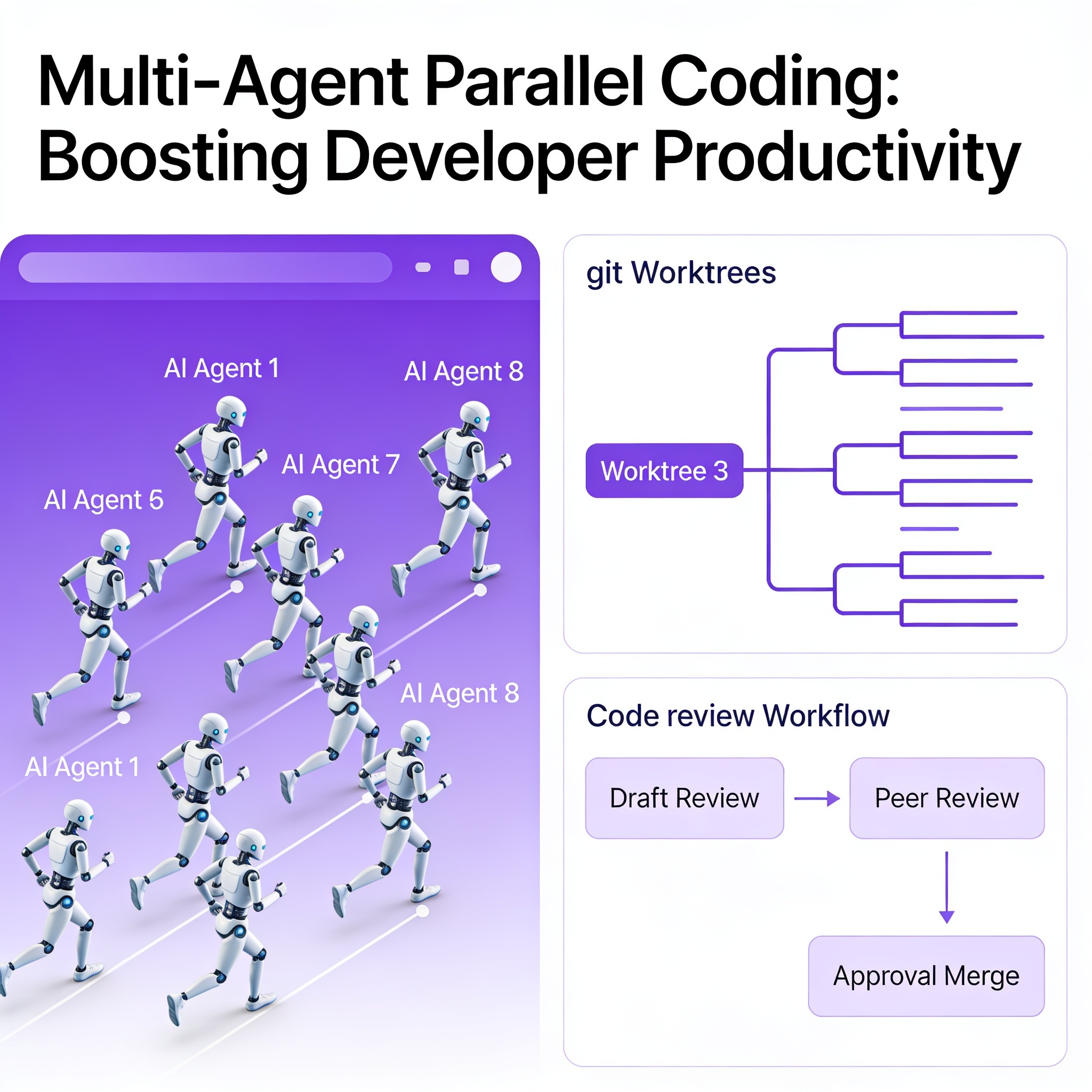
- Key feature: Run up to 8 AI agents in parallel via git worktrees, with native browser testing for end-to-end verification
- Bottom line: If you're paying for GPT-5.4 or Opus 4.6 credits for routine coding tasks, switching to Composer 2 in Auto mode eliminates most credit burn without a meaningful quality drop
What Is Cursor 2.0?
Cursor 2.0, released in October 2025, is a ground-up redesign of the AI code editor. The headline change: the interface now revolves around agent outcomes, not individual files. Rather than opening files and asking an AI assistant for help, you describe what you want to build and Cursor dispatches agents to handle it.
The redesign includes three architectural shifts:
-
Agent-centric UI: The default view shows agent tasks and their outputs, with files opened only when you need to inspect code directly. You can still switch back to classic IDE mode at any time.
-
Multi-agent parallelism: Cursor 2.0 can run multiple agents simultaneously on different parts of your codebase, using git worktrees to isolate each agent's workspace. Cursor's research found that running multiple models on the same problem and picking the best result significantly improves output quality for complex tasks.
-
Built-in testing: A native browser tool lets agents test their own work — loading a web app, clicking through UI, and verifying behavior — then iterating until the output is correct. This closes the loop on the two biggest agent bottlenecks: code review and testing.
Composer 2: The Model Behind the Interface
Composer 2, released March 19, 2026, is Cursor's most significant model upgrade. Here's what changed from Composer 1.5:
Architecture
Composer 2 uses a Mixture-of-Experts (MoE) architecture built on Kimi K2.5, the open-source model from Moonshot AI. Cursor then applied continued pretraining on coding-specific data followed by reinforcement learning (RL). According to Lee Robinson, Cursor's VP of Developer Education, roughly 75% of Composer 2's performance characteristics come from Cursor's own training — the Kimi K2.5 base provides the starting point, not the final capability.
This is a reversal from Composer 1.5, which applied RL on top of a frozen base model without continued pretraining. The result: a 38% improvement on CursorBench (44.2 → 61.3) and a 29% gain on Terminal-Bench 2.0 (47.9 → 61.7).
A key architectural innovation: compaction-in-the-loop RL. When a generation sequence hits a token-length threshold, the model compresses its own context to approximately 1,000 tokens (from 5,000+). Cursor's research shows this reduces compaction error by 50% compared to prior methods, enabling the agent to maintain coherence across hundreds of sequential actions on project-scale refactors.
Benchmarks vs Competitors
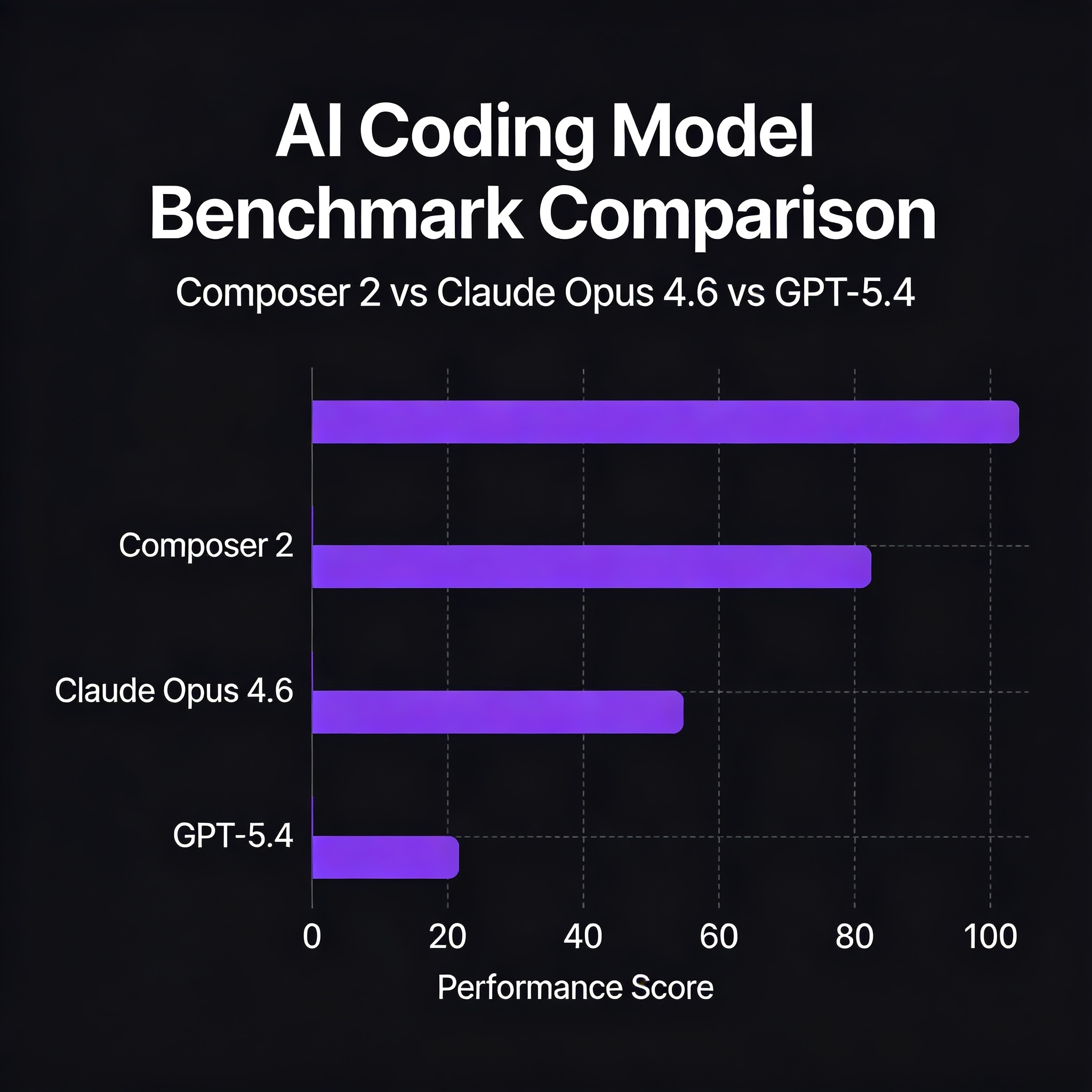
| Benchmark | Composer 2 | Composer 1.5 | Claude Opus 4.6 | GPT-5.4 |
|---|---|---|---|---|
| CursorBench | 61.3 | 44.2 | N/A (self-reported) | N/A |
| Terminal-Bench 2.0 | 61.7 | 47.9 | 58.0 | 75.1 |
| SWE-bench Multilingual | 73.7 | 65.9 | N/A | N/A |
Sources: Cursor official benchmarks (cursor.com/blog/2-0), BuildFastWithAI independent analysis (buildfastwithai.com, March 2026), DataCamp review (datacamp.com/blog/composer-2, March 2026)
Key takeaways from the data:
- Composer 2 now outperforms Claude Opus 4.6 on Terminal-Bench 2.0 (61.7 vs 58.0)
- GPT-5.4 still leads Terminal-Bench 2.0 at 75.1, but at 5-10× the cost
- The 38% improvement over Composer 1.5 is the largest single-generation jump Cursor has delivered
Context Window & Speed
- Context window: 200,000 tokens — large enough for entire codebase awareness in most projects
- Speed: 4× faster than similarly intelligent models; most turns complete in under 30 seconds
- Codebase search: Composer 2 was trained with codebase-wide semantic search tools, making it significantly better at understanding and working across large repositories
Pricing: Composer 2 vs the Competition
The economics are where Composer 2 really stands out:
| Model | Input ($/M tokens) | Output ($/M tokens) | Cost vs Composer 2 Std |
|---|---|---|---|
| Composer 2 Standard | $0.50 | $2.50 | — |
| Composer 2 Fast | $1.50 | $7.50 | 3× |
| GPT-5.4 | $2.50 | $15.00 | 5-6× |
| Claude Opus 4.6 | $15.00 | $75.00 | 10-30× |
| Composer 1.5 (Feb 2026) | $3.50 | $17.50 | 7× |
Sources: Cursor pricing page (cursor.com/pricing), OpenAI API pricing (platform.openai.com, June 2026), Anthropic API pricing (anthropic.com/pricing, June 2026)
Cursor Plan Pricing
| Plan | Price | Composer 2 Usage |
|---|---|---|
| Hobby | Free | Limited trials |
| Pro | $20/month | Unlimited in Auto mode; standalone usage pool |
| Business | $40/seat/month | Unlimited in Auto mode; SSO add-on |
When you use Cursor's Auto mode (which selects the best model per request), Composer 2 usage is unlimited on paid plans with no credit deduction. Third-party models like GPT-5.4 and Opus 4.6 still draw from your monthly credit pool. This means the smart financial move is: use Auto mode for most tasks (free Composer 2), and reserve GPT-5.4/Opus 4.6 credits only for complex reasoning tasks where they genuinely outperform.
Cache-read pricing is also discounted: $0.20/M tokens for Composer 2 Standard, $0.35/M for Fast.
Setup Guide: Getting Started in 3 Steps
Step 1: Download & Install
Download Cursor from cursor.com/download. Available for macOS, Windows, and Linux. Cursor is built on VS Code, so your existing extensions, themes, and settings migrate automatically on first launch.
Step 2: Enable Agent Mode
Agent mode is the core of Cursor 2.0. To enable it:
- Open the Command Palette (
Cmd+Shift+P/Ctrl+Shift+P) - Type "Cursor: Enable Agent Mode" and select it
- Configure your
.cursorrulesfile with explicit permissions. Example:
# .cursorrules
You have access to the terminal, file system, and version control.
Allowed operations: read files, write files, run shell commands, git operations.
Forbidden: delete files without explicit confirmation, push to main without review.
Without explicit permissions in .cursorrules, Agent mode may refuse to run commands or modify files — this is a safety feature, not a bug.
Step 3: Choose Your Model Strategy
In Cursor settings, you have three options:
- Auto mode (recommended for most users): Cursor picks the best model per request. Composer 2 is the default for coding tasks; GPT-5.4 or Opus 4.6 may be selected for complex reasoning. Unlimited on paid plans.
- Manual: Composer 2 Standard: Best for everyday coding — editing files, refactoring, generating tests. Fastest and cheapest.
- Manual: GPT-5.4 / Opus 4.6: Reserve for system architecture decisions, complex debugging, or multi-service coordination. Draws from your credit pool.
Who Should Use Cursor 2.0?
Use Cursor 2.0 if you:
- Work primarily inside an IDE and want AI deeply integrated into your editor
- Do frequent multi-file edits (Composer 2's codebase-wide search handles this well)
- Run high token volumes and want to reduce API costs (86% cheaper than Composer 1.5, 5-10× cheaper than GPT-5.4)
- Need parallel agent execution for larger project refactors
Consider alternatives if you:
- Prefer terminal-based workflows → Claude Code (46% of developers name it their most-loved AI coding tool per 2026 surveys)
- Need cloud-based autonomous execution → OpenAI Codex CLI (sandboxed environments for headless tasks)
- Work in large enterprise with strict compliance requirements → Check if Kimi K2.5 origin is acceptable for your data sovereignty policies
A 2026 developer survey found that roughly 70% of developers now use two to four AI tools simultaneously. The common pattern: Cursor for daily IDE coding, Claude Code for complex autonomous tasks.
Limitations & Known Issues
-
Model provenance transparency: Cursor did not disclose the Kimi K2.5 base at launch — it was discovered by a user checking API request headers. Cursor acknowledged this the next day. For teams with supply chain policies around Chinese-origin technology, this is a real procurement consideration.
-
Benchmark self-reporting: CursorBench is Cursor's proprietary evaluation suite with no independent verification. Terminal-Bench 2.0 and SWE-bench Multilingual are third-party benchmarks and carry more weight.
-
Reasoning depth: While Composer 2 scores well on coding benchmarks, it still trails Claude Opus 4.6 for general reasoning tasks outside pure coding. For system architecture discussions or multi-step strategic decisions, Opus 4.6 remains stronger.
-
Windows parity: Some features (particularly Agent mode and multi-agent orchestration) were refined on macOS first. Windows support has improved but may still lag slightly.
Bottom Line
Composer 2 makes Cursor the best-value option for IDE-based AI coding in June 2026. At $0.50/$2.50 per million tokens — unlimited on $20/month Pro plans — it eliminates cost as a barrier for heavy AI coding usage. The benchmark data shows it's genuinely competitive with frontier models for coding tasks, and the multi-agent interface is a legitimate productivity multiplier.
The tradeoff: you're committing to an IDE-centric workflow and (for now) accepting less transparency around model provenance than some teams may want. But for the developer who spends 6+ hours a day in an editor? Cursor 2.0 + Composer 2 is the strongest integrated offering available.
💰 How Developers Earn Money With Cursor
Cursor users are building real businesses. Here are three verified cases where AI coding agents turned side projects into revenue:
-
He Built an AI SaaS With Claude Code + AWS — $12,000/Month in 3 Months — While this case uses Claude Code, the multi-agent parallel coding workflow is directly applicable to Cursor 2.0 users. The key insight: run 3-4 agents on different parts of the codebase simultaneously to compress development time from weeks to days.
-
Spec-First AI Coding Agency: Freelancer Hits $10K/Month — A freelancer built an AI code review + spec-driven development service. Cursor's Review Tab makes the code review portion of this workflow significantly faster than terminal-based alternatives.
-
AI Agent Team Replacement: Solo Founder Hits $8,500 MRR — A solopreneur replaced a 3-person engineering team with AI agents. The multi-agent architecture described in this case maps directly to Cursor 2.0's parallel agent feature.
Published June 7, 2026. All prices and benchmarks current as of this date. Last verified: Cursor pricing (cursor.com/pricing), OpenAI API pricing (platform.openai.com), Anthropic API pricing (anthropic.com/pricing).